Skeletor (Pixelorama Extension)
A downloadable Pixelorama Extension
This is a free and open-source Pixelorama extension that add basic Skeletal animation capabilities to the software. The source code for this extension is hosted on Github
Showcase:
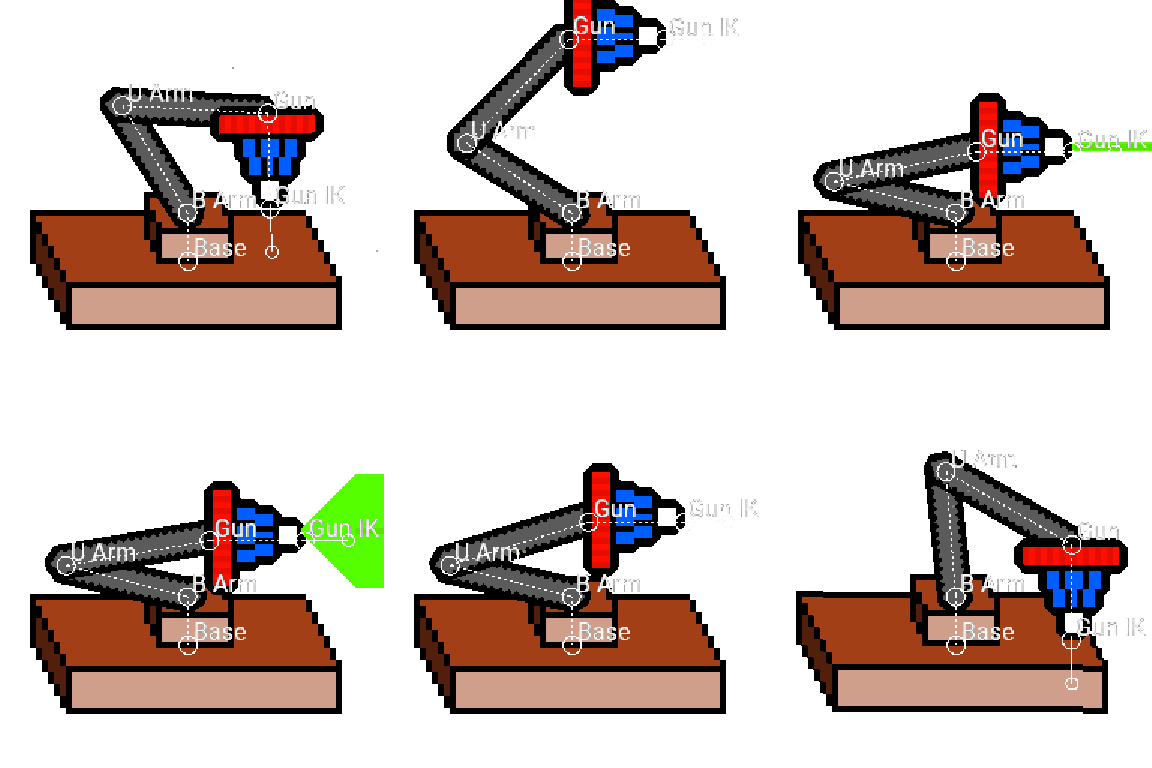
You can try this extension out on the demo Pixelorama projects shown below (Click the Image)
Laser Gun |
Robot | Snake |
|
|
|
|
Capabilities:
- Basic movement: You can move any bone in the skeleton and it's children will move with it.
- Bone Chaining: In chaining mode you are only allowed to rotate a bone. the children of the bones move with parent bone but preserve their rotation.
- Inverse Kinematics: Along with chaining, this extension also provides support for inverse kinematics, making use of the CCDIK and FABRIK algorithms.
- Tweening Support: Gererate In-Betweens from a chosen start frame to the current frame.
- Draw <=> Pose Mode: You can switch between the two views with ease.
- Quick set bones: You can quickly place bones to roughly over their intended sprites with a single click.
- Export skeleton data for manual tinkering or for use in other projects
Limitations:
- Undo/Redo for bones is not present, though you can still Undo/Redo the usuall actions of Pixelorama.
- There can be only ONE Pose Layer per project.
How to use:
After Importing and enabling the extension, you will get access to:
- The Skeleton tool

- Two new options in Project menu called (Load Skeleton and Assign Pose Layer)
- A .skeletor export option
The bones assigned to groups (Arrange Groups as Bones in a skeleton), so to make a skeleton, simply make up the structure using multiple Group Layers. After this make a new Pixel Layer at the "Top" of all layers, then select it and choose Project > Assign Pose Layer. This Layer will be used to render the final "pose" of the frame.
Note: If bones do not appear after assigning a Pose Layer, please click another layer and then back to the Pose Layer.
Controls (parts of the bone):
Movement |
Rotation |
|
|
|
each bone is made up of 3 parts;
- The bigger circle is the pivot, the image of the bone will rotate around this pivot. The pivot is set by hovering over the circle then hold (Ctrl + Left/Right click) key and move the mouse. Also, moving the pivot using (Left/Right click) will move the image instead of setting pivot.
- Smaller circle controls rotation. Hold (Ctrl + Left/Right click) with mouse movement to move the circle without rotating the image (this is just to move it somewhere more comfortable). Holding (Left/Right click) and mouse movement Will rotate image.
- The solid line joining the two circles does the same as the above (however the width of the line won't change this time).
Download
Click download now to get access to the following files:
Development log
- Performance Update (v0.18)Nov 27, 2025
- v0.17 is hereNov 26, 2025
- v0.16 is hereNov 22, 2025
- v0.15 is hereNov 22, 2025
- Skeletor v0.14 is here with Inverse KinematicsNov 21, 2025
- Version 0.12 releasedJun 25, 2025
- Version 0.1 is now available on itch as wellApr 12, 2025
Comments
Log in with itch.io to leave a comment.
this is perfect, my pc is kinda old and doesnt support smack studio, i am new in pixel art, and this will save me a lot of time tysm
Thanks, hope you like it 😁